1. EKS Cluster yaml 설치
이미 aws cli 설치된 상태에서 진행


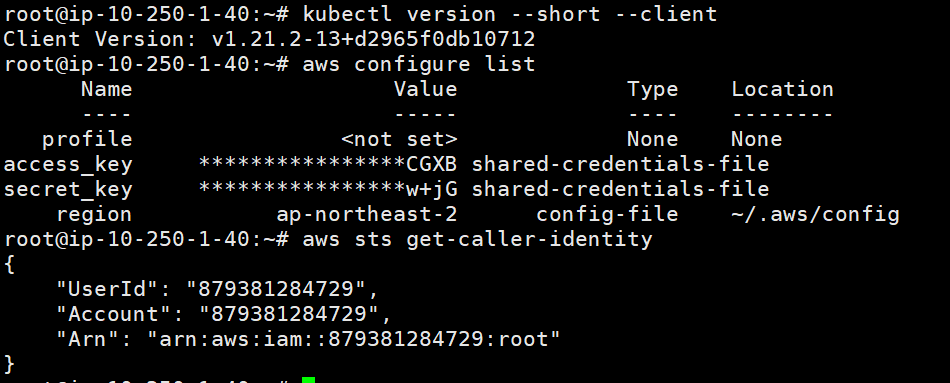
cluster.yaml
apiVersion: eksctl.io/v1alpha5
kind: ClusterConfig
metadata:
  name: powermvp-cluster
  region:  ap-northeast-2
vpc:
  subnets:
    private:
      ap-northeast-2a: { id: subnet-0d } #프라이빗 서브넷 2a
      ap-northeast-2c: { id: subnet-09 } #프라이빗 서브넷 2c

nodeGroups:
  - name: VEC-PRD-NG-worker1
    labels: { role: workers }
    instanceType: t3.medium
    desiredCapacity: 1
    privateNetworking: true
    subnets:
      - subnet-0d  #프라이빗 서브넷 2a
  - name: VEC-PRD-NG-worker2
    labels: { role: workers }
    instanceType: t3.medium
    desiredCapacity: 1
    privateNetworking: true
    subnets:
      - subnet-09  #프라이빗 서브넷 2c
    iam:
      withAddonPolicies:
        imageBuilder: true
eksctl create cluster -f cluster.yaml

cli 명령어 자동완성 기능 추가

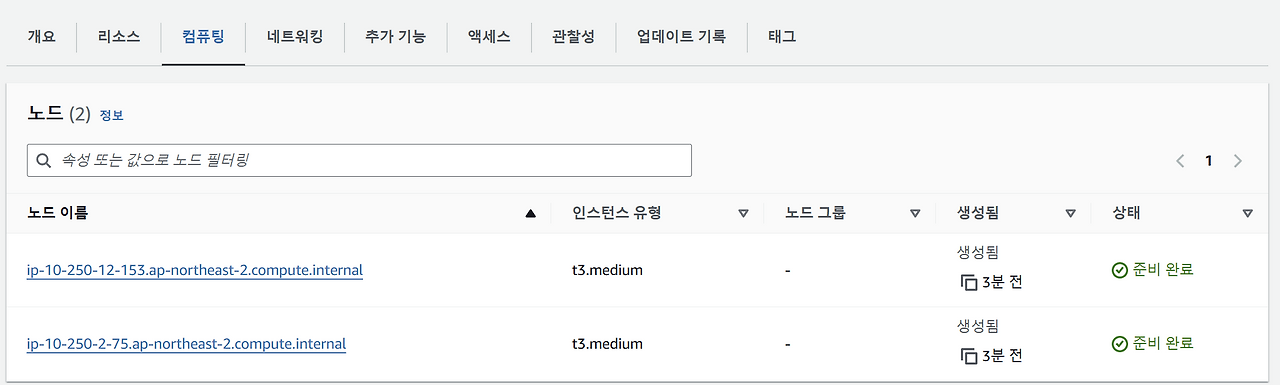
클러스터 이동 후 node 설치 결과 확인
2. EKS Cluster 콘솔로 생성
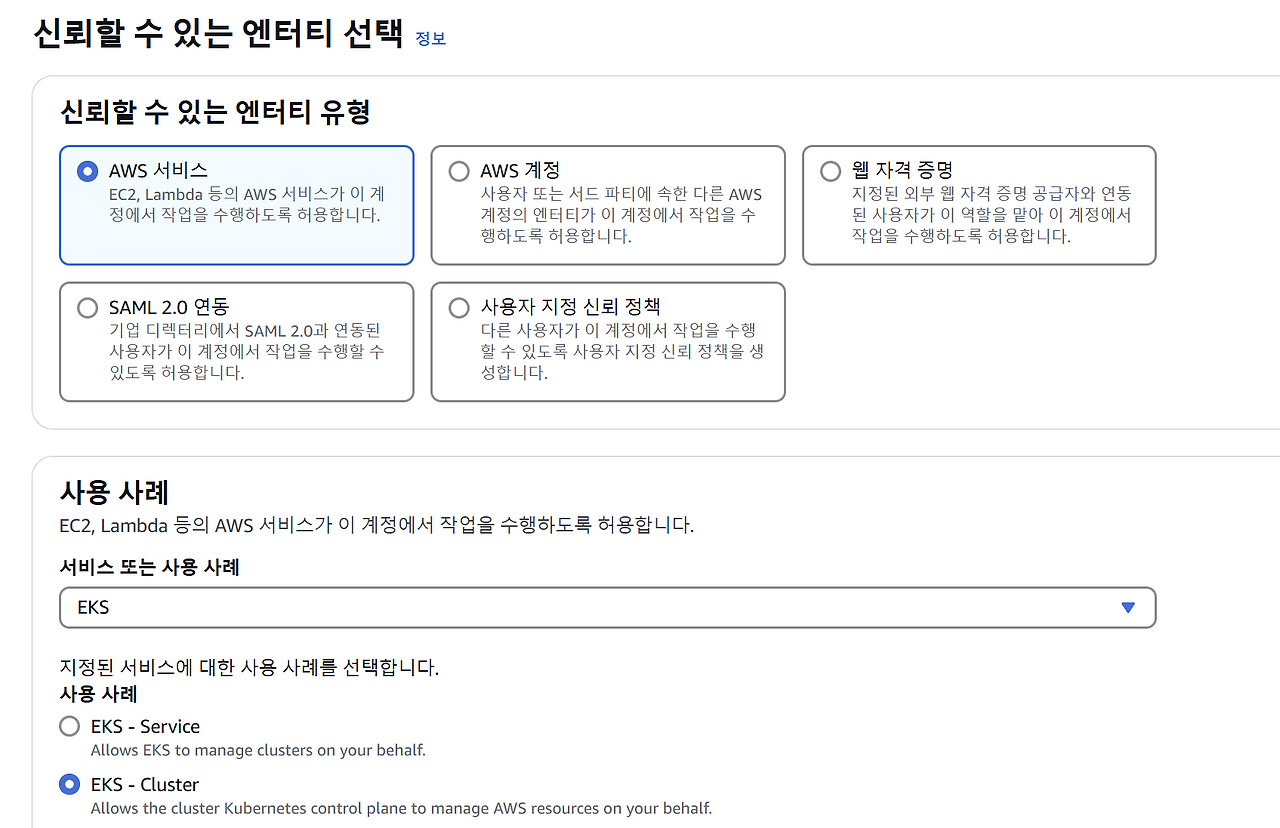
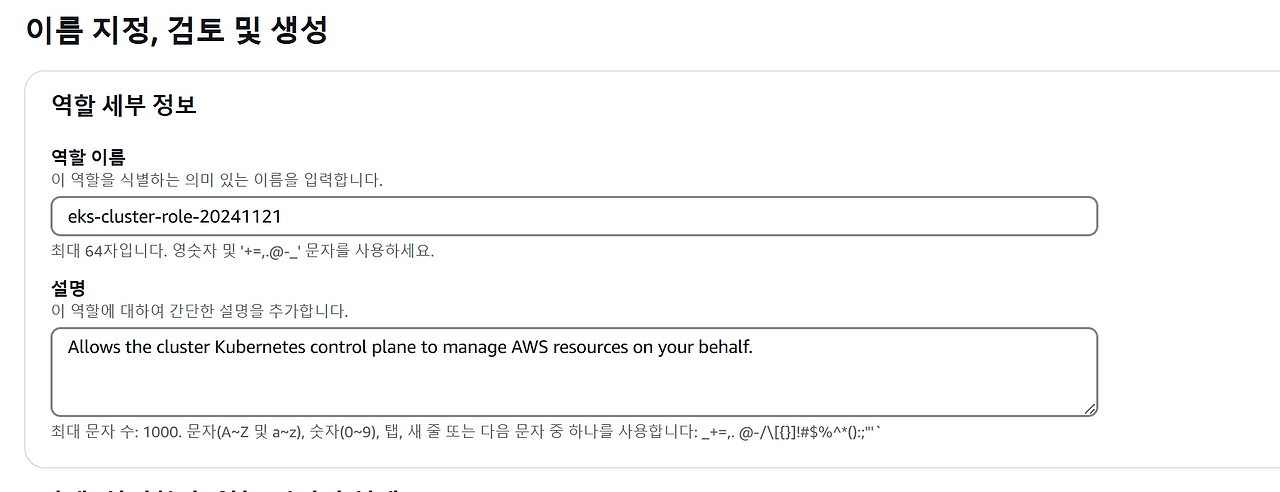
클러스터 만들 수 있는 역할 생성
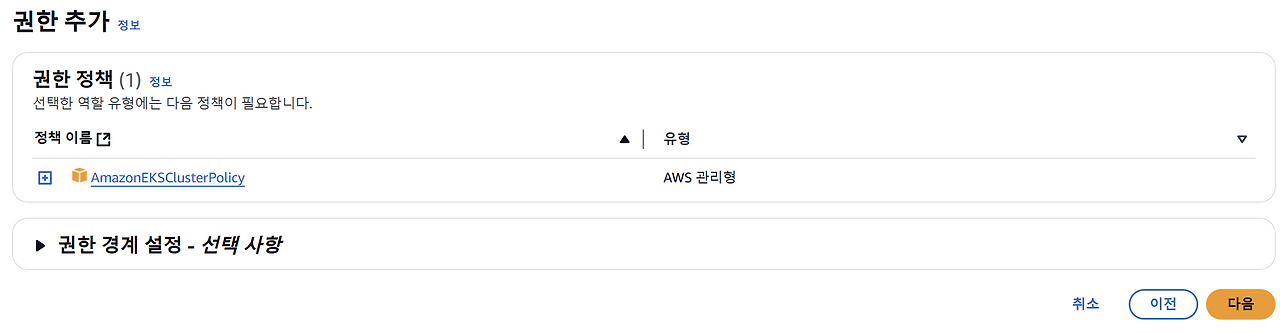

노드를 만들 수 있는 역할 생성
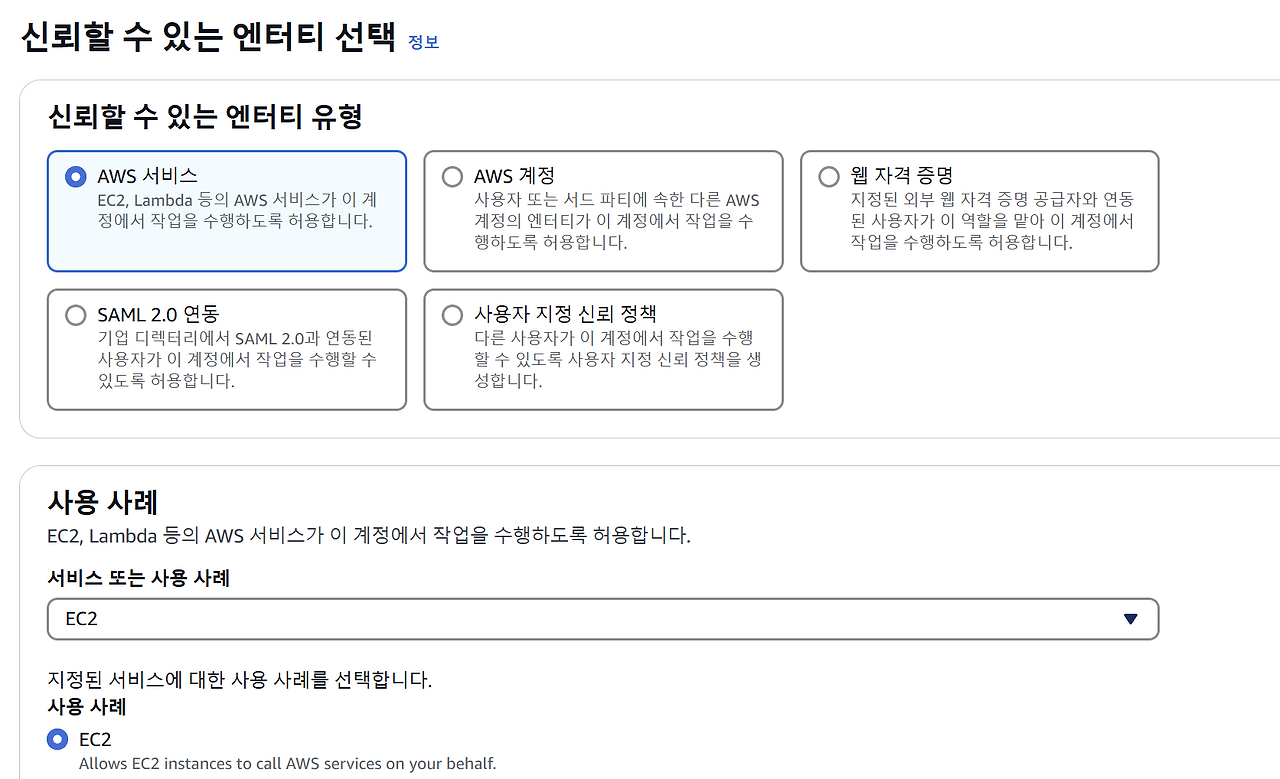
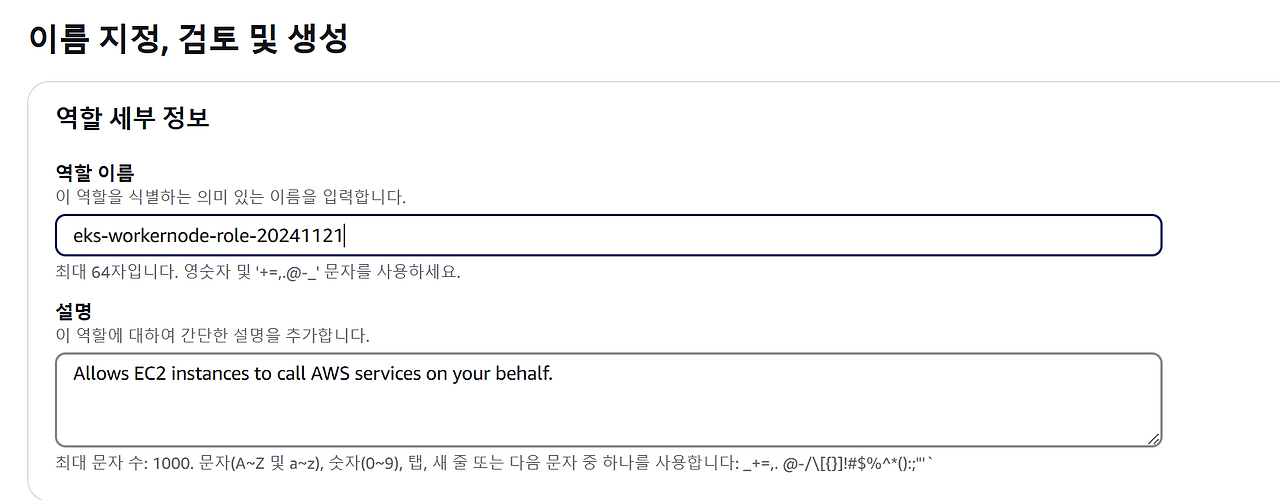
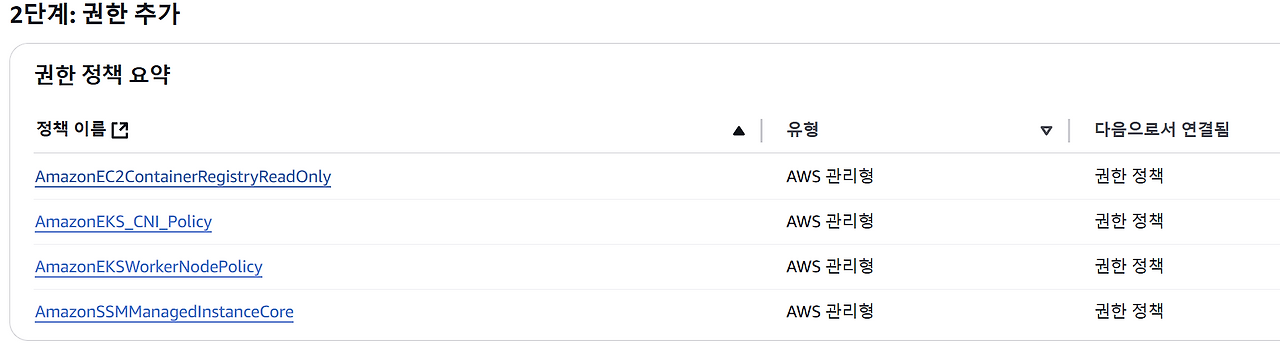

(cli에서는 rootkey 적어서 configure 등록했기 때문에 yaml로 설치할 때는 역할이 필요 없음)
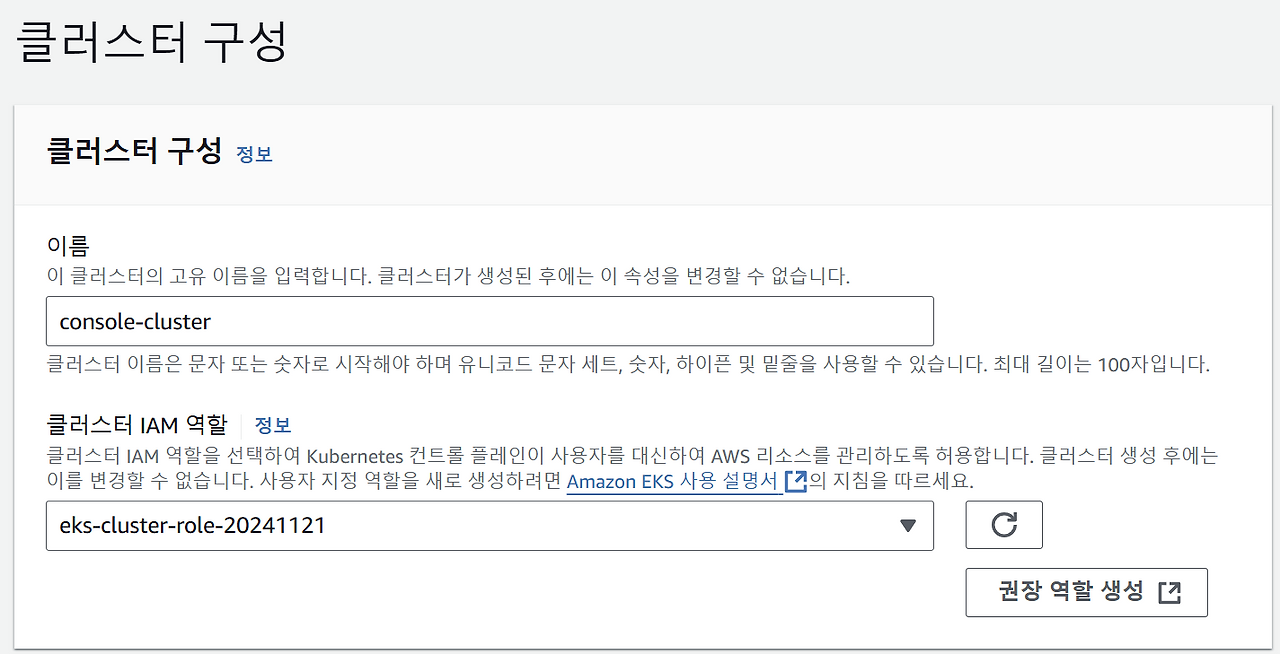
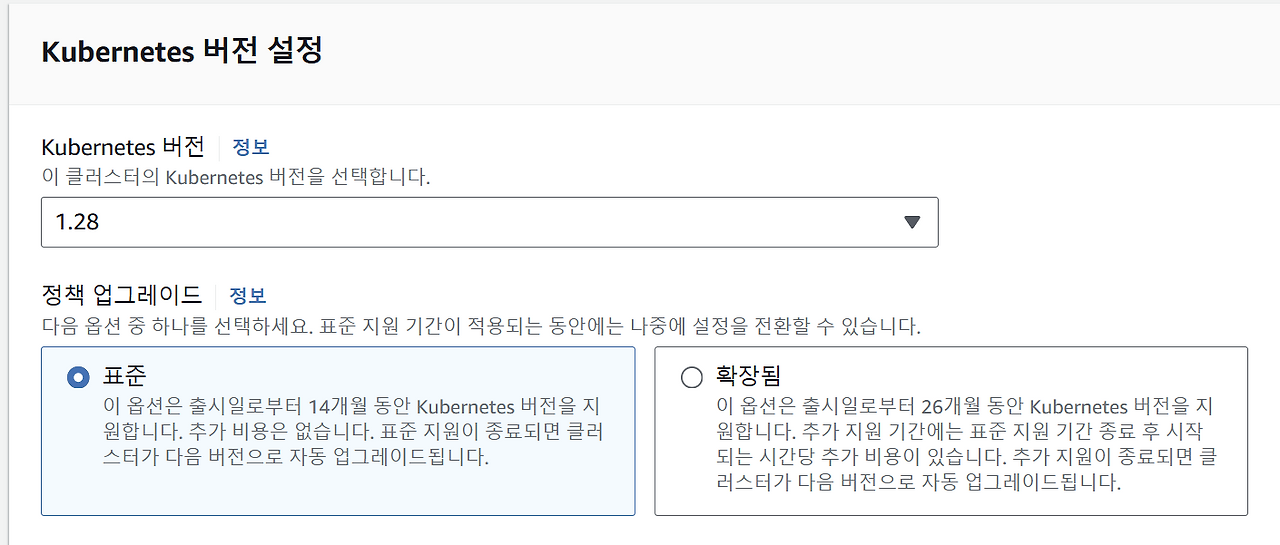
(홀수버전은 개발버전)

보안그룹은 알아서 생성해줌
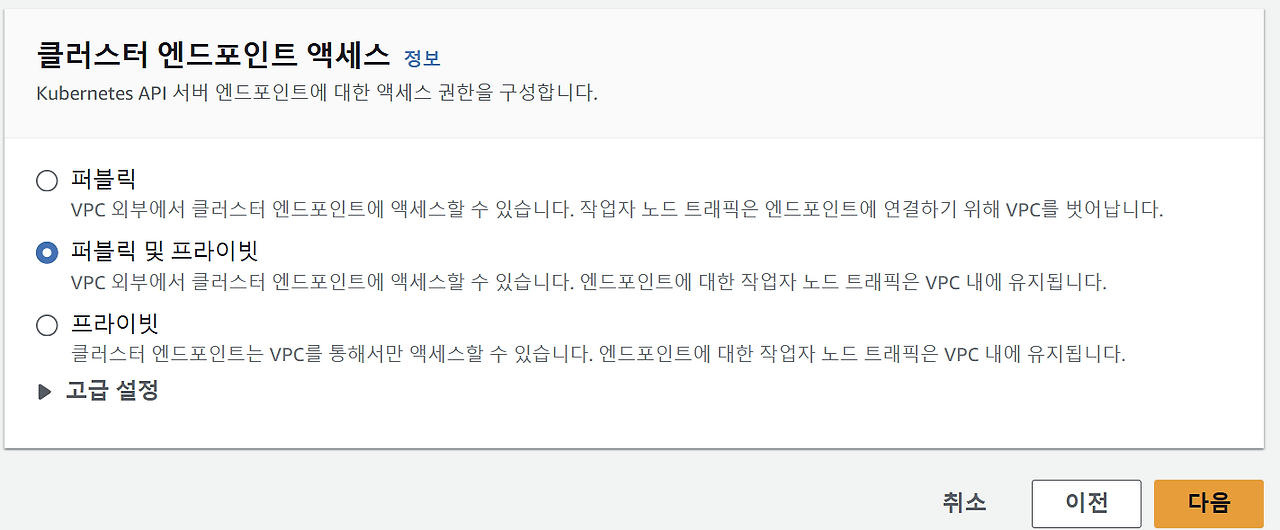


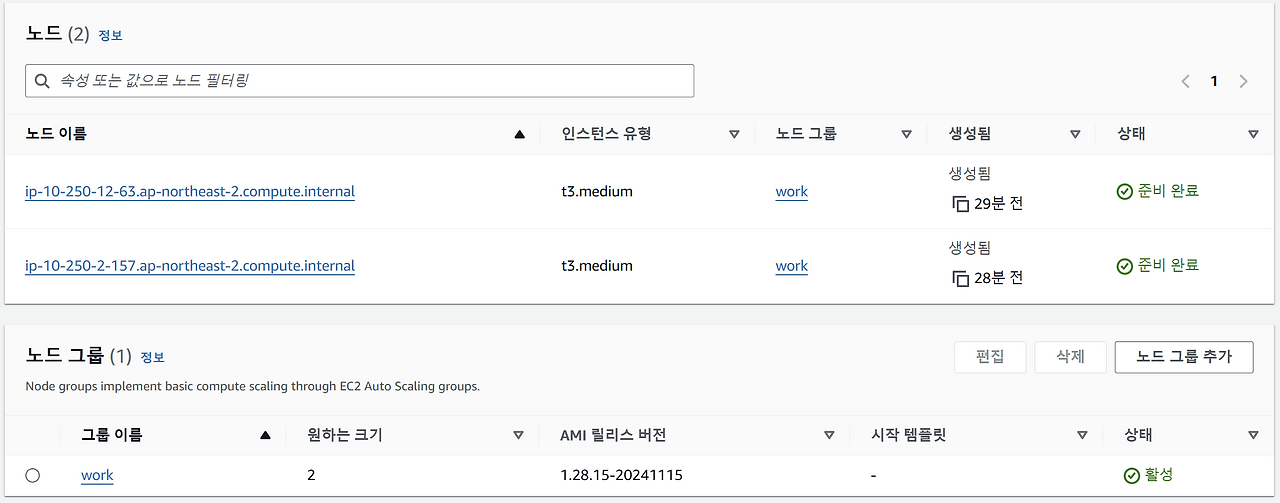
(콘솔로 만들 때는 cloudformation 과정 표시 안해줌 콘솔은 클러스터 만들고 노드를 만들어야함 yaml은 다 해줌)